
Alarm.com ADC-T2000 Smart Thermostat
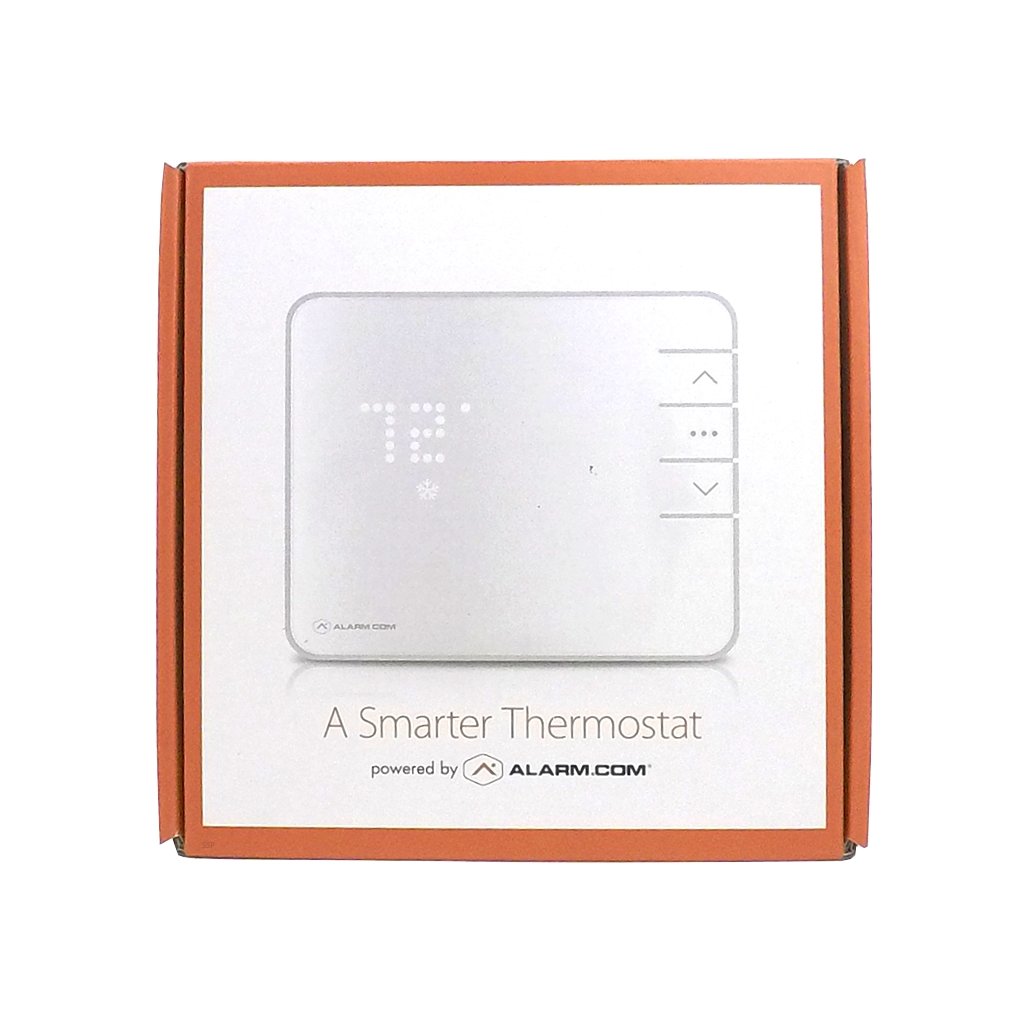
This includes:
Alarm.com Smart Thermostat
Installation Guide
4 AA Batteries
3 Screws
3 Drywall anchors
Wire labels
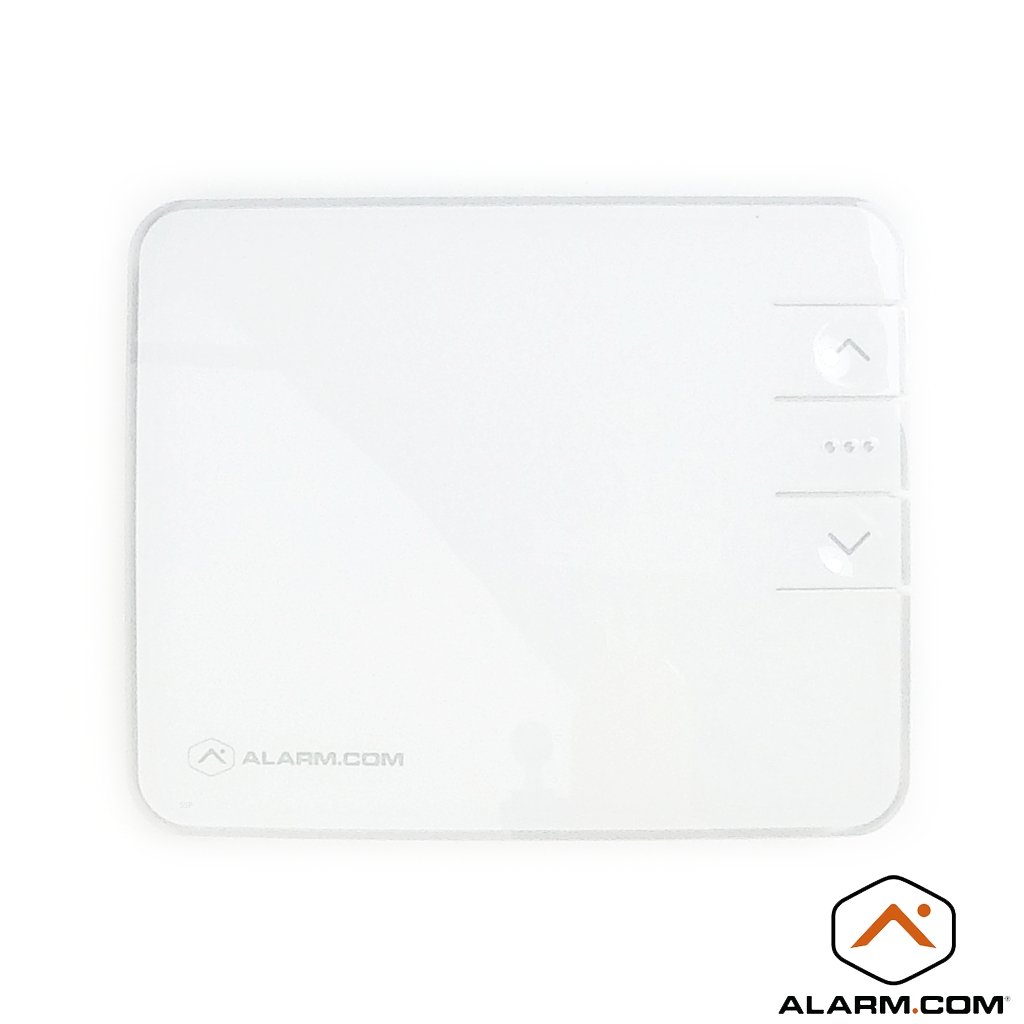
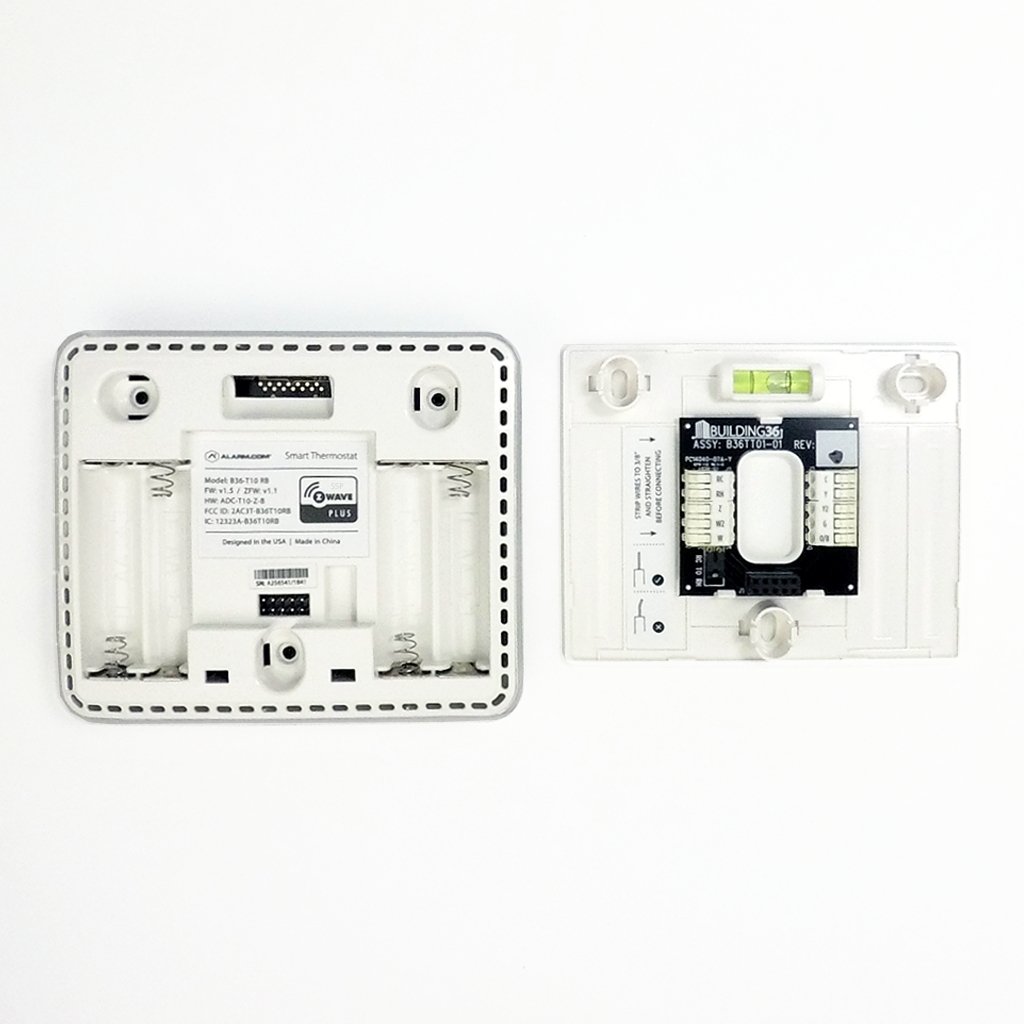
The Alarm.com ADC-T2000 Smart Thermostat can be used to replace any existing thermostat in your home giving you a new level of control of the energy usage in your home. The thermostat has a mode button, up and down buttons, mode and temperature display and a display for the radio signal strength. To install the Alarm.com Smart Thermostat; all one needs to do is remove the old thermostat your replacing. You must be sure to mark which wires are which while removing the old one. You will then install the new back plate by running the marked wires through it and securing it to the wall with the included screws. You'll then wire it in by following the wiring labels on the Smart Thermostat. It can replace most standard thermostats as it has inputs for Y, G, C, W, O/B and R wiring schematics. The thermostat is flexible for power as well since it can be powered by batteries or directly from the HVAC power wiring.
The Alarm.com Smart Thermostat can help you save money and better provide climate control for your home. By using Alarm.com Residential Interactive or Alarm.com Commercial Interactive services; you can set scenes for it to automatically adjust temperatures based on time or trigger events. By placing temperature sensors in each room you will be able to adjust the temperature of that room independently of all other rooms. This will help save energy by letting shut off or lower the heating or cooling in certain rooms of the home or business. Another energy saving feature you'll get with Alarm.com and their thermostats is the ability for them to adjust automatically based on your proximity from your home or office. This is called Geotagging and it means that based on your location the thermostats can automatically adjust the temperature of the building so you can come in to a comfortable climate upon entering the building.
One of the reasons this is called a Smart Thermostat is because it can receive information from other Z-Wave devices around the home or business and adjust its operation based on the information that it receives. If you're using a Honeywell Vista 15p, Honeywell Vista 20P or DSC NEO Series alarm systems; the smart thermostat can interact with triggered automation events causing it to adjust to levels based on what is happening with the security system or any other device. This can be accomplished by using Alarm.com Interactive Services and either the SEM module for the Honeywell Systems or the DSC NEO 8080 Cellular communicator models. And with Alarm.com's mobile app youll have the control at your at your fingertips.
The Alarm.com Smart Thermostat can offer you a degree of control that will allow you to keep your house comfortable and help you save money on bills at the end of the month. Along with our other Z-Wave devices we offer on the site; you'll be able to turn your home or business into a money saving powerhouse that can almost run itself with the right setup and programming.
QUESTIONS & ANSWERS
-
Is it able to handle dual fuel applications? heat pump outside, gas furnace backup?
Yes, the T2000 is listed as compatible with dual fuel applications.
-
Does it have surge protection
No, it does not have surge protection built-in, you would need to add it separately.
-
How do you set cold to colder
The T2000 only has modes for heat and cool. If your AC is not cooling enough, or not kicking into stage 2 cooling, then I would recommend double checking the wiring and/or having an HVAC tech take a look.
-
how do i program thermostat
The T2000 thermostat is designed to work with Alarm.com services. I can be used standalone to an extent, but to utilize the full feature set and automate it, you will need to have Alarm.com service with thermostat automation enabled.
-
Does this thermostat ADC-T2000 support operation of ventilation system?
The T2000 does not support Ventilation systems, but the T40K smart thermostat does.
-
Will it work on a heat only system with no c wire
No, the Smart Thermostat requires a C wire.
-
Can this thermostat be used to control 120V or 240V supply to electric radiant floor heat?
No, this only works with 24V HVAC systems only.
-
Does this thermostat (ADC-T2000) need to be calibrated?
You should not need to as the thermostat has a very good temp sensor in it, but if it does happen to be off, your Alarm.com service provider can adjust the calibration as needed. This applies to all Alarm.com thermostats.
-
Does the thermostat record heating and cooling usage
No, it's just a means of controlling it.
Related Products
-
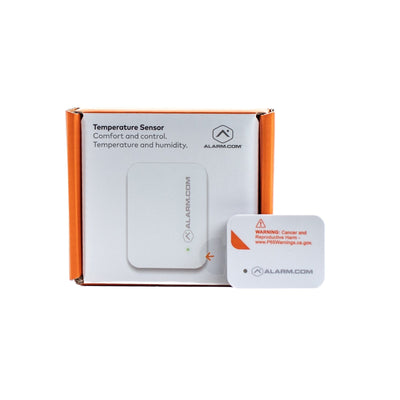
{"id":8042179297600,"title":"Alarm.com ADC-S40-T Temperature - Humidity Sensor","handle":"alarm-com-adc-s40-t-temperature-humidity-sensor","description":"\u003ch2\u003eAlarm.com ADC-S40-T Temperature - Humidity Sensor\u003c\/h2\u003e\n\u003cp\u003eThe ADC-S40-T is a temperature and humidity sensor designed for Alarm.com automation services. Using this sensor, you are able to monitor both the temperature and humidity in any room in your home or business remotely using the Alarm.com app or computer portal. The ADC-S40-T connects to your Alarm.com account using Z-wave technology and offers both authorized S2 and unauthorized S2 communication. When paired with an Alarm.com thermostat, such as the \u003ca title=\"Alarm.com ADC-T40K-HD Smart Color Touchscreen Thermostat\" href=\"https:\/\/www.alarmsystemstore.com\/products\/alarm-com-adc-t40k-hd-smart-color-touchscreen-thermostat\"\u003eADC-T40K-HD\u003c\/a\u003e or \u003ca title=\"Alarm.com ADC-T25 Z-Wave Smart Thermostat\" href=\"https:\/\/www.alarmsystemstore.com\/products\/alarm-com-adc-t25-z-wave-smart-thermostat\"\u003eADC-T25\u003c\/a\u003e, the thermostat will use the S40-T to better normalize temperature in whatever rooms you place the S40-T. This can allow you to prioritize high-priority rooms, such as an office, or baby room, to ensure your temperature and humidity levels are within the tolerance you set.\u003c\/p\u003e\n\u003cp\u003eConnecting the ADC-S40-T to your Alarm.com account is simple and swift using Alarm.com's install wizards available in-app, and through the computer portal. Once connected to Alarm.com you will be able to view temp and humidity wherever the device is placed. After enrollment, you can tie the S40-T to your enrolled Alarm.com thermostat and create special automation rules to regulate your home's temperature. You are also able to set up notifications through Alarm.com to alert you in the event the S40-T detects high humidity or an incorrect temperature reading. One thing to keep in mind with Z-wave devices is signal strength though, so if your Z-wave controller is too far from the room you wish to place the S40-T, you will need to add a Z-wave signal-repeating device to ensure solid signal strength.\u003c\/p\u003e\n\u003cp\u003e\n You MUST have an Alarm.com automation service to use this device, meaning you will need a \n \u003ca href=\"https:\/\/www.alarmsystemstore.com\/products\/alarm-com-interactive-residential-services\" target=\"_blank\" style=\"display:inline;\"\u003eResidential\u003c\/a\u003e\n or a\n \u003ca href=\"https:\/\/www.alarmsystemstore.com\/collections\/alarm-com-commercial-service-plans\" target=\"_blank\" style=\"display:inline;\"\u003eCommercial Alarm.com plan\u003c\/a\u003e\n that supports automation.\n\u003c\/p\u003e\n\u003cp\u003e \u003c\/p\u003e\n\u003ch3\u003eSpecs:\u003c\/h3\u003e\n\u003cp\u003eBattery power: 5+ years\u003cbr\u003eDimensions: 1.2 x 1.6 x 0.47’’ (30.8 x 40.8 x 11.9 mm)\u003cbr\u003eCommunication: Z-Wave SmartStart Z-Wave S2 Authenticated\/Unauthenticated\u003cbr\u003eOperating Temperature Range: 14°F to 158°F (-10°C to 70°C)\u003cbr\u003eOperating humidity: 80% (non-condensing)\u003cbr\u003eUse: Indoor\u003c\/p\u003e\n\u003cp\u003e\u003ca href=\"https:\/\/cdn.shopify.com\/s\/files\/1\/1659\/9809\/files\/S40-T_guide11.pdf?v=1670003656\" title=\"Alarm.com S40-T Temperature and Humidity sensor installation guide\" rel=\"noopener noreferrer\" target=\"_blank\"\u003eADC-S40-T Installation Guide\u003c\/a\u003e\u003c\/p\u003e\n\u003cp\u003e\u003ca href=\"https:\/\/cdn.shopify.com\/s\/files\/1\/1659\/9809\/files\/ADC-S40-T_DataSheet_Final-1.pdf?v=1670003656\" title=\"ADC-S40-T temperature and humidity sensor Data Sheet\" rel=\"noopener noreferrer\" target=\"_blank\"\u003eADC-S40-T Data Sheet\u003c\/a\u003e\u003c\/p\u003e","published_at":"2022-12-07T19:07:34-05:00","created_at":"2022-12-02T10:55:28-05:00","vendor":"Alarm.com","type":"Z-Wave Thermostats","tags":["ADC temperature sensor","ADC thermostat","ADC-S40-T","Alarm.com temperature","Alarm.com thermostat","S40-T"],"price":4050,"price_min":4050,"price_max":4050,"available":true,"price_varies":false,"compare_at_price":null,"compare_at_price_min":0,"compare_at_price_max":0,"compare_at_price_varies":false,"variants":[{"id":44037911380288,"title":"Default Title","option1":"Default Title","option2":null,"option3":null,"sku":"ADC-S40-T","requires_shipping":true,"taxable":true,"featured_image":null,"available":true,"name":"Alarm.com ADC-S40-T Temperature - Humidity Sensor","public_title":null,"options":["Default Title"],"price":4050,"weight":227,"compare_at_price":null,"inventory_quantity":15,"inventory_management":"shopify","inventory_policy":"continue","barcode":"ADC-S40-T","requires_selling_plan":false,"selling_plan_allocations":[],"quantity_rule":{"min":1,"max":null,"increment":1}}],"images":["\/\/www.alarmsystemstore.com\/cdn\/shop\/products\/alarmcom-adc-s40-t-temperature-humidity-sensor-624864.jpg?v=1670519000","\/\/www.alarmsystemstore.com\/cdn\/shop\/products\/alarmcom-adc-s40-t-temperature-humidity-sensor-963803.jpg?v=1670519000","\/\/www.alarmsystemstore.com\/cdn\/shop\/products\/alarmcom-adc-s40-t-temperature-humidity-sensor-711920.jpg?v=1670519000"],"featured_image":"\/\/www.alarmsystemstore.com\/cdn\/shop\/products\/alarmcom-adc-s40-t-temperature-humidity-sensor-624864.jpg?v=1670519000","options":["Title"],"media":[{"alt":"Alarm.com ADC-S40-T Temperature - Humidity Sensor - AlarmSystemStore.com","id":32383874236736,"position":1,"preview_image":{"aspect_ratio":1.0,"height":1600,"width":1600,"src":"\/\/www.alarmsystemstore.com\/cdn\/shop\/products\/alarmcom-adc-s40-t-temperature-humidity-sensor-624864.jpg?v=1670519000"},"aspect_ratio":1.0,"height":1600,"media_type":"image","src":"\/\/www.alarmsystemstore.com\/cdn\/shop\/products\/alarmcom-adc-s40-t-temperature-humidity-sensor-624864.jpg?v=1670519000","width":1600},{"alt":"Alarm.com ADC-S40-T Temperature - Humidity Sensor - AlarmSystemStore.com","id":32383874269504,"position":2,"preview_image":{"aspect_ratio":1.0,"height":1600,"width":1600,"src":"\/\/www.alarmsystemstore.com\/cdn\/shop\/products\/alarmcom-adc-s40-t-temperature-humidity-sensor-963803.jpg?v=1670519000"},"aspect_ratio":1.0,"height":1600,"media_type":"image","src":"\/\/www.alarmsystemstore.com\/cdn\/shop\/products\/alarmcom-adc-s40-t-temperature-humidity-sensor-963803.jpg?v=1670519000","width":1600},{"alt":"Alarm.com ADC-S40-T Temperature - Humidity Sensor - AlarmSystemStore.com","id":32383874302272,"position":3,"preview_image":{"aspect_ratio":1.0,"height":1600,"width":1600,"src":"\/\/www.alarmsystemstore.com\/cdn\/shop\/products\/alarmcom-adc-s40-t-temperature-humidity-sensor-711920.jpg?v=1670519000"},"aspect_ratio":1.0,"height":1600,"media_type":"image","src":"\/\/www.alarmsystemstore.com\/cdn\/shop\/products\/alarmcom-adc-s40-t-temperature-humidity-sensor-711920.jpg?v=1670519000","width":1600}],"requires_selling_plan":false,"selling_plan_groups":[],"content":"\u003ch2\u003eAlarm.com ADC-S40-T Temperature - Humidity Sensor\u003c\/h2\u003e\n\u003cp\u003eThe ADC-S40-T is a temperature and humidity sensor designed for Alarm.com automation services. Using this sensor, you are able to monitor both the temperature and humidity in any room in your home or business remotely using the Alarm.com app or computer portal. The ADC-S40-T connects to your Alarm.com account using Z-wave technology and offers both authorized S2 and unauthorized S2 communication. When paired with an Alarm.com thermostat, such as the \u003ca title=\"Alarm.com ADC-T40K-HD Smart Color Touchscreen Thermostat\" href=\"https:\/\/www.alarmsystemstore.com\/products\/alarm-com-adc-t40k-hd-smart-color-touchscreen-thermostat\"\u003eADC-T40K-HD\u003c\/a\u003e or \u003ca title=\"Alarm.com ADC-T25 Z-Wave Smart Thermostat\" href=\"https:\/\/www.alarmsystemstore.com\/products\/alarm-com-adc-t25-z-wave-smart-thermostat\"\u003eADC-T25\u003c\/a\u003e, the thermostat will use the S40-T to better normalize temperature in whatever rooms you place the S40-T. This can allow you to prioritize high-priority rooms, such as an office, or baby room, to ensure your temperature and humidity levels are within the tolerance you set.\u003c\/p\u003e\n\u003cp\u003eConnecting the ADC-S40-T to your Alarm.com account is simple and swift using Alarm.com's install wizards available in-app, and through the computer portal. Once connected to Alarm.com you will be able to view temp and humidity wherever the device is placed. After enrollment, you can tie the S40-T to your enrolled Alarm.com thermostat and create special automation rules to regulate your home's temperature. You are also able to set up notifications through Alarm.com to alert you in the event the S40-T detects high humidity or an incorrect temperature reading. One thing to keep in mind with Z-wave devices is signal strength though, so if your Z-wave controller is too far from the room you wish to place the S40-T, you will need to add a Z-wave signal-repeating device to ensure solid signal strength.\u003c\/p\u003e\n\u003cp\u003e\n You MUST have an Alarm.com automation service to use this device, meaning you will need a \n \u003ca href=\"https:\/\/www.alarmsystemstore.com\/products\/alarm-com-interactive-residential-services\" target=\"_blank\" style=\"display:inline;\"\u003eResidential\u003c\/a\u003e\n or a\n \u003ca href=\"https:\/\/www.alarmsystemstore.com\/collections\/alarm-com-commercial-service-plans\" target=\"_blank\" style=\"display:inline;\"\u003eCommercial Alarm.com plan\u003c\/a\u003e\n that supports automation.\n\u003c\/p\u003e\n\u003cp\u003e \u003c\/p\u003e\n\u003ch3\u003eSpecs:\u003c\/h3\u003e\n\u003cp\u003eBattery power: 5+ years\u003cbr\u003eDimensions: 1.2 x 1.6 x 0.47’’ (30.8 x 40.8 x 11.9 mm)\u003cbr\u003eCommunication: Z-Wave SmartStart Z-Wave S2 Authenticated\/Unauthenticated\u003cbr\u003eOperating Temperature Range: 14°F to 158°F (-10°C to 70°C)\u003cbr\u003eOperating humidity: 80% (non-condensing)\u003cbr\u003eUse: Indoor\u003c\/p\u003e\n\u003cp\u003e\u003ca href=\"https:\/\/cdn.shopify.com\/s\/files\/1\/1659\/9809\/files\/S40-T_guide11.pdf?v=1670003656\" title=\"Alarm.com S40-T Temperature and Humidity sensor installation guide\" rel=\"noopener noreferrer\" target=\"_blank\"\u003eADC-S40-T Installation Guide\u003c\/a\u003e\u003c\/p\u003e\n\u003cp\u003e\u003ca href=\"https:\/\/cdn.shopify.com\/s\/files\/1\/1659\/9809\/files\/ADC-S40-T_DataSheet_Final-1.pdf?v=1670003656\" title=\"ADC-S40-T temperature and humidity sensor Data Sheet\" rel=\"noopener noreferrer\" target=\"_blank\"\u003eADC-S40-T Data Sheet\u003c\/a\u003e\u003c\/p\u003e"}
-
{"id":8042179297600,"title":"Alarm.com ADC-S40-T Temperature - Humidity Sensor","handle":"alarm-com-adc-s40-t-temperature-humidity-sensor","description":"\u003ch2\u003eAlarm.com ADC-S40-T Temperature - Humidity Sensor\u003c\/h2\u003e\n\u003cp\u003eThe ADC-S40-T is a temperature and humidity sensor designed for Alarm.com automation services. Using this sensor, you are able to monitor both the temperature and humidity in any room in your home or business remotely using the Alarm.com app or computer portal. The ADC-S40-T connects to your Alarm.com account using Z-wave technology and offers both authorized S2 and unauthorized S2 communication. When paired with an Alarm.com thermostat, such as the \u003ca title=\"Alarm.com ADC-T40K-HD Smart Color Touchscreen Thermostat\" href=\"https:\/\/www.alarmsystemstore.com\/products\/alarm-com-adc-t40k-hd-smart-color-touchscreen-thermostat\"\u003eADC-T40K-HD\u003c\/a\u003e or \u003ca title=\"Alarm.com ADC-T25 Z-Wave Smart Thermostat\" href=\"https:\/\/www.alarmsystemstore.com\/products\/alarm-com-adc-t25-z-wave-smart-thermostat\"\u003eADC-T25\u003c\/a\u003e, the thermostat will use the S40-T to better normalize temperature in whatever rooms you place the S40-T. This can allow you to prioritize high-priority rooms, such as an office, or baby room, to ensure your temperature and humidity levels are within the tolerance you set.\u003c\/p\u003e\n\u003cp\u003eConnecting the ADC-S40-T to your Alarm.com account is simple and swift using Alarm.com's install wizards available in-app, and through the computer portal. Once connected to Alarm.com you will be able to view temp and humidity wherever the device is placed. After enrollment, you can tie the S40-T to your enrolled Alarm.com thermostat and create special automation rules to regulate your home's temperature. You are also able to set up notifications through Alarm.com to alert you in the event the S40-T detects high humidity or an incorrect temperature reading. One thing to keep in mind with Z-wave devices is signal strength though, so if your Z-wave controller is too far from the room you wish to place the S40-T, you will need to add a Z-wave signal-repeating device to ensure solid signal strength.\u003c\/p\u003e\n\u003cp\u003e\n You MUST have an Alarm.com automation service to use this device, meaning you will need a \n \u003ca href=\"https:\/\/www.alarmsystemstore.com\/products\/alarm-com-interactive-residential-services\" target=\"_blank\" style=\"display:inline;\"\u003eResidential\u003c\/a\u003e\n or a\n \u003ca href=\"https:\/\/www.alarmsystemstore.com\/collections\/alarm-com-commercial-service-plans\" target=\"_blank\" style=\"display:inline;\"\u003eCommercial Alarm.com plan\u003c\/a\u003e\n that supports automation.\n\u003c\/p\u003e\n\u003cp\u003e \u003c\/p\u003e\n\u003ch3\u003eSpecs:\u003c\/h3\u003e\n\u003cp\u003eBattery power: 5+ years\u003cbr\u003eDimensions: 1.2 x 1.6 x 0.47’’ (30.8 x 40.8 x 11.9 mm)\u003cbr\u003eCommunication: Z-Wave SmartStart Z-Wave S2 Authenticated\/Unauthenticated\u003cbr\u003eOperating Temperature Range: 14°F to 158°F (-10°C to 70°C)\u003cbr\u003eOperating humidity: 80% (non-condensing)\u003cbr\u003eUse: Indoor\u003c\/p\u003e\n\u003cp\u003e\u003ca href=\"https:\/\/cdn.shopify.com\/s\/files\/1\/1659\/9809\/files\/S40-T_guide11.pdf?v=1670003656\" title=\"Alarm.com S40-T Temperature and Humidity sensor installation guide\" rel=\"noopener noreferrer\" target=\"_blank\"\u003eADC-S40-T Installation Guide\u003c\/a\u003e\u003c\/p\u003e\n\u003cp\u003e\u003ca href=\"https:\/\/cdn.shopify.com\/s\/files\/1\/1659\/9809\/files\/ADC-S40-T_DataSheet_Final-1.pdf?v=1670003656\" title=\"ADC-S40-T temperature and humidity sensor Data Sheet\" rel=\"noopener noreferrer\" target=\"_blank\"\u003eADC-S40-T Data Sheet\u003c\/a\u003e\u003c\/p\u003e","published_at":"2022-12-07T19:07:34-05:00","created_at":"2022-12-02T10:55:28-05:00","vendor":"Alarm.com","type":"Z-Wave Thermostats","tags":["ADC temperature sensor","ADC thermostat","ADC-S40-T","Alarm.com temperature","Alarm.com thermostat","S40-T"],"price":4050,"price_min":4050,"price_max":4050,"available":true,"price_varies":false,"compare_at_price":null,"compare_at_price_min":0,"compare_at_price_max":0,"compare_at_price_varies":false,"variants":[{"id":44037911380288,"title":"Default Title","option1":"Default Title","option2":null,"option3":null,"sku":"ADC-S40-T","requires_shipping":true,"taxable":true,"featured_image":null,"available":true,"name":"Alarm.com ADC-S40-T Temperature - Humidity Sensor","public_title":null,"options":["Default Title"],"price":4050,"weight":227,"compare_at_price":null,"inventory_quantity":15,"inventory_management":"shopify","inventory_policy":"continue","barcode":"ADC-S40-T","requires_selling_plan":false,"selling_plan_allocations":[],"quantity_rule":{"min":1,"max":null,"increment":1}}],"images":["\/\/www.alarmsystemstore.com\/cdn\/shop\/products\/alarmcom-adc-s40-t-temperature-humidity-sensor-624864.jpg?v=1670519000","\/\/www.alarmsystemstore.com\/cdn\/shop\/products\/alarmcom-adc-s40-t-temperature-humidity-sensor-963803.jpg?v=1670519000","\/\/www.alarmsystemstore.com\/cdn\/shop\/products\/alarmcom-adc-s40-t-temperature-humidity-sensor-711920.jpg?v=1670519000"],"featured_image":"\/\/www.alarmsystemstore.com\/cdn\/shop\/products\/alarmcom-adc-s40-t-temperature-humidity-sensor-624864.jpg?v=1670519000","options":["Title"],"media":[{"alt":"Alarm.com ADC-S40-T Temperature - Humidity Sensor - AlarmSystemStore.com","id":32383874236736,"position":1,"preview_image":{"aspect_ratio":1.0,"height":1600,"width":1600,"src":"\/\/www.alarmsystemstore.com\/cdn\/shop\/products\/alarmcom-adc-s40-t-temperature-humidity-sensor-624864.jpg?v=1670519000"},"aspect_ratio":1.0,"height":1600,"media_type":"image","src":"\/\/www.alarmsystemstore.com\/cdn\/shop\/products\/alarmcom-adc-s40-t-temperature-humidity-sensor-624864.jpg?v=1670519000","width":1600},{"alt":"Alarm.com ADC-S40-T Temperature - Humidity Sensor - AlarmSystemStore.com","id":32383874269504,"position":2,"preview_image":{"aspect_ratio":1.0,"height":1600,"width":1600,"src":"\/\/www.alarmsystemstore.com\/cdn\/shop\/products\/alarmcom-adc-s40-t-temperature-humidity-sensor-963803.jpg?v=1670519000"},"aspect_ratio":1.0,"height":1600,"media_type":"image","src":"\/\/www.alarmsystemstore.com\/cdn\/shop\/products\/alarmcom-adc-s40-t-temperature-humidity-sensor-963803.jpg?v=1670519000","width":1600},{"alt":"Alarm.com ADC-S40-T Temperature - Humidity Sensor - AlarmSystemStore.com","id":32383874302272,"position":3,"preview_image":{"aspect_ratio":1.0,"height":1600,"width":1600,"src":"\/\/www.alarmsystemstore.com\/cdn\/shop\/products\/alarmcom-adc-s40-t-temperature-humidity-sensor-711920.jpg?v=1670519000"},"aspect_ratio":1.0,"height":1600,"media_type":"image","src":"\/\/www.alarmsystemstore.com\/cdn\/shop\/products\/alarmcom-adc-s40-t-temperature-humidity-sensor-711920.jpg?v=1670519000","width":1600}],"requires_selling_plan":false,"selling_plan_groups":[],"content":"\u003ch2\u003eAlarm.com ADC-S40-T Temperature - Humidity Sensor\u003c\/h2\u003e\n\u003cp\u003eThe ADC-S40-T is a temperature and humidity sensor designed for Alarm.com automation services. Using this sensor, you are able to monitor both the temperature and humidity in any room in your home or business remotely using the Alarm.com app or computer portal. The ADC-S40-T connects to your Alarm.com account using Z-wave technology and offers both authorized S2 and unauthorized S2 communication. When paired with an Alarm.com thermostat, such as the \u003ca title=\"Alarm.com ADC-T40K-HD Smart Color Touchscreen Thermostat\" href=\"https:\/\/www.alarmsystemstore.com\/products\/alarm-com-adc-t40k-hd-smart-color-touchscreen-thermostat\"\u003eADC-T40K-HD\u003c\/a\u003e or \u003ca title=\"Alarm.com ADC-T25 Z-Wave Smart Thermostat\" href=\"https:\/\/www.alarmsystemstore.com\/products\/alarm-com-adc-t25-z-wave-smart-thermostat\"\u003eADC-T25\u003c\/a\u003e, the thermostat will use the S40-T to better normalize temperature in whatever rooms you place the S40-T. This can allow you to prioritize high-priority rooms, such as an office, or baby room, to ensure your temperature and humidity levels are within the tolerance you set.\u003c\/p\u003e\n\u003cp\u003eConnecting the ADC-S40-T to your Alarm.com account is simple and swift using Alarm.com's install wizards available in-app, and through the computer portal. Once connected to Alarm.com you will be able to view temp and humidity wherever the device is placed. After enrollment, you can tie the S40-T to your enrolled Alarm.com thermostat and create special automation rules to regulate your home's temperature. You are also able to set up notifications through Alarm.com to alert you in the event the S40-T detects high humidity or an incorrect temperature reading. One thing to keep in mind with Z-wave devices is signal strength though, so if your Z-wave controller is too far from the room you wish to place the S40-T, you will need to add a Z-wave signal-repeating device to ensure solid signal strength.\u003c\/p\u003e\n\u003cp\u003e\n You MUST have an Alarm.com automation service to use this device, meaning you will need a \n \u003ca href=\"https:\/\/www.alarmsystemstore.com\/products\/alarm-com-interactive-residential-services\" target=\"_blank\" style=\"display:inline;\"\u003eResidential\u003c\/a\u003e\n or a\n \u003ca href=\"https:\/\/www.alarmsystemstore.com\/collections\/alarm-com-commercial-service-plans\" target=\"_blank\" style=\"display:inline;\"\u003eCommercial Alarm.com plan\u003c\/a\u003e\n that supports automation.\n\u003c\/p\u003e\n\u003cp\u003e \u003c\/p\u003e\n\u003ch3\u003eSpecs:\u003c\/h3\u003e\n\u003cp\u003eBattery power: 5+ years\u003cbr\u003eDimensions: 1.2 x 1.6 x 0.47’’ (30.8 x 40.8 x 11.9 mm)\u003cbr\u003eCommunication: Z-Wave SmartStart Z-Wave S2 Authenticated\/Unauthenticated\u003cbr\u003eOperating Temperature Range: 14°F to 158°F (-10°C to 70°C)\u003cbr\u003eOperating humidity: 80% (non-condensing)\u003cbr\u003eUse: Indoor\u003c\/p\u003e\n\u003cp\u003e\u003ca href=\"https:\/\/cdn.shopify.com\/s\/files\/1\/1659\/9809\/files\/S40-T_guide11.pdf?v=1670003656\" title=\"Alarm.com S40-T Temperature and Humidity sensor installation guide\" rel=\"noopener noreferrer\" target=\"_blank\"\u003eADC-S40-T Installation Guide\u003c\/a\u003e\u003c\/p\u003e\n\u003cp\u003e\u003ca href=\"https:\/\/cdn.shopify.com\/s\/files\/1\/1659\/9809\/files\/ADC-S40-T_DataSheet_Final-1.pdf?v=1670003656\" title=\"ADC-S40-T temperature and humidity sensor Data Sheet\" rel=\"noopener noreferrer\" target=\"_blank\"\u003eADC-S40-T Data Sheet\u003c\/a\u003e\u003c\/p\u003e"}